
What are eBay Promoted Listings and how do they work?
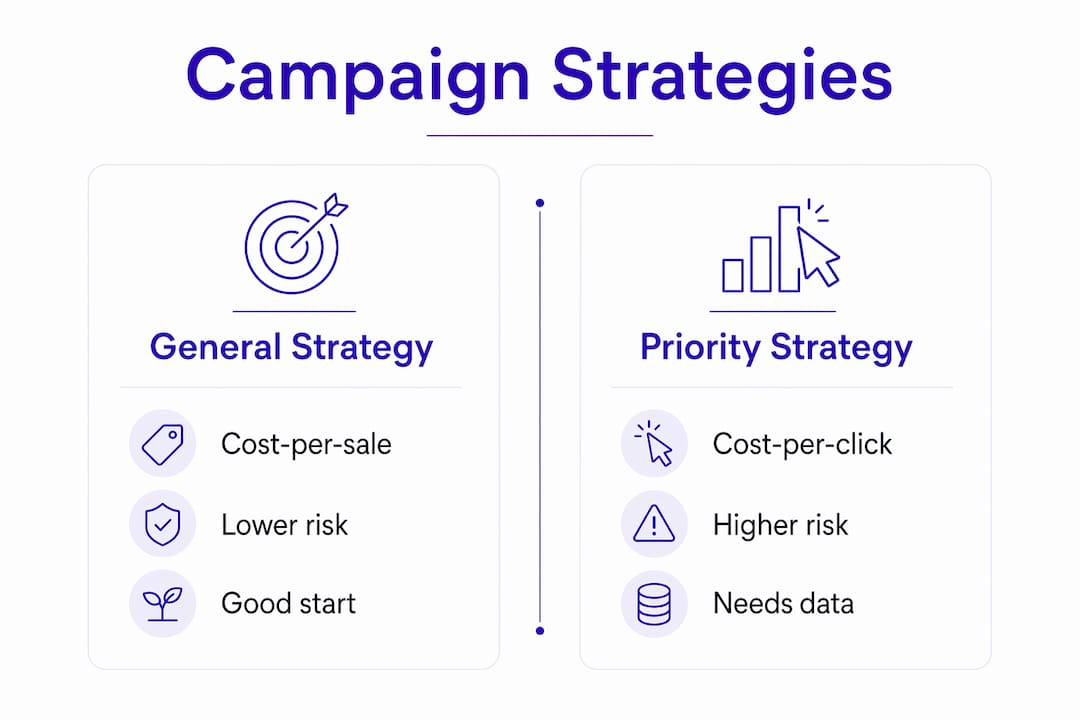
eBay Promoted Listings are eBay's native advertising service, placing your items in premium search slots, related-item carousels, and browse pages across eBay and its partner sites. You get two distinct campaign strategies, each with a different cost model:
- General (cost-per-sale): You set an ad rate as a percentage of the final sale price. You pay only when a buyer clicks your promoted item and completes a purchase. No sale, no fee.
- Priority (cost-per-click): You bid for clicks and pay each time someone clicks your ad, whether or not they buy.
Promoted Listings sit on top of organic search results. They amplify visibility but do not replace your organic ranking. A listing that already ranks well organically needs a smaller ad rate to get results; a newer listing with no sales history benefits more from the paid push. There is no minimum spend and no fixed schedule on a General campaign. It runs until you pause it.
General vs. Priority: which campaign strategy fits your goals?
The two strategies serve different seller profiles and risk tolerances. Here is how they compare:
| Feature | General strategy | Priority strategy |
|---|---|---|
| Fee model | Cost-per-sale (% of final price) | Cost-per-click (bid-based) |
| When you pay | Only when item sells via promoted click | Every click, sale or not |
| Upfront cost | None | Yes, per click |
| Best for | Risk-averse sellers, proven inventory | Aggressive exposure, new product launches |
| Budget control | Predictable, tied to revenue | Requires tighter bid management |
| Conversion risk | Low (pay only on success) | Higher (clicks don't guarantee sales) |

General strategy is the right starting point for most sellers. Because you pay only on sale, the downside is capped. It works especially well on proven, fast-moving inventory where you know the margin.
Priority strategy makes sense when you need fast visibility for a new product or a time-sensitive listing. The tradeoff is real: you absorb click costs even when buyers browse and leave. Without a strong conversion rate, Priority campaigns drain budget fast.
A few tactical points worth knowing:
- eBay's suggested ad rates of 12–15% are calibrated for eBay's revenue, not your margin. Treat them as a ceiling.
- Category margins vary widely. A 10% ad rate on a low-margin electronics item is a money-loser; the same rate on a collectible with 60% margin is fine.
- Priority campaigns reward sellers who already know their click-through and conversion rates. Running Priority on an untested listing is expensive guesswork.
How to get the most out of your promoted listings
The single biggest mistake sellers make is promoting a listing that was never going to convert well organically. Advertising amplifies demand; it does not create it. Fix the listing first, then pay to show it to more people.
- Optimize before you promote. A clean main photo on a white background, a title that uses the full character allowance with real buyer search terms, complete item specifics, and a competitive price all lift conversion before a cent is spent on ads. Poor photos and vague titles waste ad spend regardless of how much you bid.
- Start at a conservative low rate, not the higher suggested range. Experienced sellers recommend launching at a conservative rate and adjusting upward only after 14 days of real return-on-ad-spend data. eBay's suggested rates are optimized for eBay's revenue.
- Group similar inventory into one campaign. Running 50 individual campaigns gives you 50 thin data sets. Grouping similar items lets you read performance by category and make smarter adjustments.
- Promote winners, not stragglers. Items that already sell consistently are the cheapest to promote because they convert. Newer listings with demand but no sales history are the second-best target. Listings that sit unsold for weeks usually have a pricing or quality problem that ads will not fix.
- Give campaigns at least 14 days before judging them. Early impression and click numbers swing wildly on low volume. Make one adjustment at the two-week mark, then wait again.
Pro Tip: Compare your attributed sales in the campaign report against your organic sales trend for the same listing. If attributed sales jumped but total sales barely moved, the campaign is mostly taking credit for sales that would have happened anyway. That is the incremental lift test, and it is the only number that tells you whether the ad spend is actually earning its keep.
How to set up your first Promoted Listings campaign
Getting a General campaign live takes under five minutes from Seller Hub. Here is the exact sequence:
- Go to Seller Hub and open the Advertising tab. Click "Create new campaign."
- Select "Promote your listings" as the ad type, then choose General. This locks in the cost-per-sale model.
- Pick the listings you want to promote. You can select a single item, a category, or your entire store inventory.
- Set your ad rate. Start at a low rate. This is the share of the final sale price eBay collects when a buyer clicks your promoted item and purchases it.
- Name the campaign and launch it. No payment is required upfront.
For a single item, skip the full campaign setup. Open "My eBay Active" or the Seller Hub Active listings view, find the item, open the dropdown beside it, and choose "Promote." Set your rate and you are done. This quick-promote option is useful for testing one listing without building a full campaign structure.
Two timing notes: run campaigns on seasonal items a week or two before the demand peak so eBay has time to gather click data. And because you can edit the ad rate any day without restarting the campaign, there is no reason to set a high rate out of caution at launch.

How to read your Promoted Listings performance reports
The metrics that matter most in your campaign dashboard are impressions, clicks, sales attributed to the campaign, and return on ad spend. Impressions tell you whether eBay is showing your listing. Clicks tell you whether buyers are interested. Attributed sales tell you what eBay credits to the campaign. ROAS tells you whether the spend is profitable.
- Watch incremental lift, not just attributed sales. Since January 2026, eBay's attribution model credits more organic sales to Promoted Listings in major markets including the US. Your effective ad cost can rise even when your true incremental sales stay flat.
- Identify listings that need rate adjustment. If a listing has strong impressions but low clicks, the title or photo needs work, not a higher bid. If it has clicks but no sales, the price or description is the problem.
- Pause campaigns on non-converting listings. Letting a poorly converting listing run at any ad rate is a slow drain. Pull it, fix the underlying issue, and relaunch.
- Allocate budget toward proven converters. Once you have 14 days of data, raise the rate one point at a time on items that are converting, and reduce or pause the rest.
Common mistakes that kill your Promoted Listings ROI
Sellers lose money on Promoted Listings in predictable ways. Knowing the patterns makes them easy to avoid.
Accepting eBay's suggested ad rate. The higher percentage suggestion is calibrated for eBay's revenue, not your margin. For most categories, that rate eats a significant portion of net profit. Start at 2–3% and let data drive any increases.
Promoting listings with weak organic foundations. Ads send more traffic to a listing. If the title is vague, the photos are poor, or the price is above market, more traffic just means more people bouncing. The fix is upstream, not in the campaign settings.
Treating attributed sales as incremental sales. After the january 2026 attribution change, eBay takes credit for more organic sales under the Promoted Listings umbrella. A campaign that looks profitable on the dashboard may be claiming sales that were already happening. Always cross-check against your total sales trend for that listing.
Tweaking ad rates daily. Campaigns need at least 14 days to generate meaningful data. Adjusting rates every few days resets the learning curve and produces noise, not signal.
Running Priority campaigns without conversion data. Priority charges per click. Without knowing your conversion rate, you are bidding blind. Run General first, build a baseline, then consider Priority only for listings where you know the numbers.
Resell-ready gives you the pricing data to set smarter ad rates
Knowing the right ad rate for a listing requires knowing your actual margin, and that means knowing what the item is worth on eBay right now, not last month.
Resell-ready pulls live resale prices from eBay and other major marketplaces in real time, so you can see exactly what comparable items are selling for before you set an ad rate. Pair that with the platform's automated profit and loss tracking, and you stop guessing whether a 3% rate is safe or a 7% rate is a margin killer. The inventory dashboard flags which listings are worth promoting and which need a price adjustment first. For sellers scaling a catalog of dozens or hundreds of items, that kind of data-driven clarity is what keeps Promoted Listings profitable instead of expensive.
Key Takeaways
eBay Promoted Listings pay off when you start with a lean ad rate, optimize the listing first, and measure incremental lift rather than raw attributed sales.
| Point | Details |
|---|---|
| Start at 2–3% ad rate | eBay's suggested 12–15% is calibrated for eBay's revenue; start low and raise based on 14 days of ROAS data. |
| Fix the listing before promoting | Poor titles, weak photos, and above-market pricing waste ad spend regardless of campaign settings. |
| Watch incremental lift | Since january 2026, eBay's attribution model credits more organic sales to ads; compare attributed sales against your total sales trend. |
| General beats Priority for most sellers | The cost-per-sale model caps downside risk; Priority campaigns require known conversion rates to stay profitable. |
| Resell-ready for margin clarity | Real-time eBay pricing and automated P&L tracking help you set ad rates that protect profit on every promoted listing. |